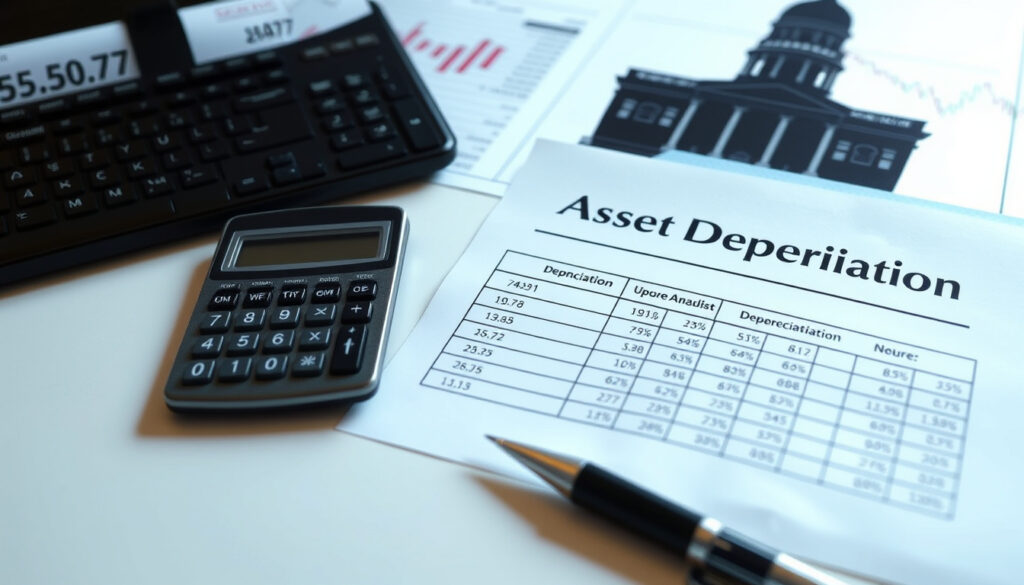
IRD Depreciation Rate Finder: Correct Rate for Any Asset
Anyone who’s tried tracking down the correct depreciation rate for a business asset in New Zealand knows it can feel like a needle in a haystack, but between the official IR265 guide, the online rate finder, and third‑party tools, there are more ways than ever to get it right. With over 5,000 assets covered and two distinct methods, this guide walks through exactly how the IRD depreciation rate finder works and where to place your trust.
Assets covered by IRD depreciation rate finder: over 5,000 · Depreciation methods available: diminishing value (DV) and straight-line (SL) · Maximum annual rate for motor vehicles (DV): 30% · Maximum annual rate for rental property buildings (SL): 2% · Official tool hosted by: Inland Revenue Department (IRD) New Zealand
Quick snapshot
- IRD provides a free online depreciation rate finder (Inland Revenue (IRD) — official NZ tax authority)
- Motor vehicles have a standard DV rate of 30% (Inland Revenue (IRD) — IR265 guide)
- Residential rental buildings have a SL rate of 2% from 2021 (Calculate.co.nz — NZ depreciation rates reference)
- The general rates table is published as IR265 (Inland Revenue (IRD) — IR265 PDF)
- Exact update frequency of the online tool — IRD does not publish a changelog for the rate finder
- Whether third-party AI tools always reflect the latest IRD rates — Solo App and Asset Accountant rely on their own datasets
- Whether the asset count in the online tool exactly matches the IR265 guide — the tool may include some rates not listed in the PDF
- From 22 May 2025: Investment Boost checkbox allows 20% immediate deduction on new assets (Asset Accountant — NZ tax blog)
- From 2024/25: most building structures become non-depreciable (0% rate) (Asset Accountant — NZ tax blog)
- Users can apply custom rates if an asset is not listed — request via IRD form
- Third-party AI tools may fill gaps but require cross-checking against official IRD data
Five facts, one pattern: the IRD publishes a comprehensive set of standard rates, but using them correctly requires knowing which method applies and how to handle assets that don’t fit neatly into a category.
| Snapshot fact | Value |
|---|---|
| Official tool URL | ird.govt.nz/depreciation-rate-finder |
| Number of assets in database | over 5,000 |
| Depreciation methods | Diminishing Value (DV) and Straight-Line (SL) |
| Motor vehicle DV rate | 30% |
| Residential rental building SL rate | 2% |
| General rates document | IR265 (PDF) |
What is the IRD depreciation rate?
How the IRD sets depreciation rates
The IRD sets depreciation rates based on the estimated useful life of each asset class and its residual value at the end of that life. For business assets acquired on or after 1 April 2005 (non-buildings) and 19 May 2005 (buildings), the rates are published in a searchable online tool and in the IR265 guide (Inland Revenue (IRD) — official NZ tax authority). The rates are updated periodically, though the exact schedule is not published.
The upshotThe IRD’s default approach is conservative: it assumes an asset will lose value steadily over time, not suddenly. That’s why the standard rates tend to be lower than what some asset owners might expect.
Difference between diminishing value and straight-line methods
Two methods are standard: Diminishing Value (DV) applies a fixed percentage to the asset’s remaining book value each year, while Straight-Line (SL) applies a fixed percentage to the original cost. For motor vehicles, the standard DV rate is 30%, while the SL rate is 20% (Inland Revenue (IRD) — IR265 guide).
The implication: choosing DV means larger deductions in the first few years, while SL spreads the deduction evenly. For high-use assets like vans or trucks, DV often better reflects the actual wear pattern.
The trade-offDV is more tax-efficient for short-lived assets; SL is simpler for long-lived ones. If you switch during the asset’s life, IRD requires applying for a change — not automatic.
The pattern is consistent: DV front-loads deductions, which can be a smart strategy for assets that lose value quickly.
How do I find the depreciation rate?
Using the IRD depreciation rate finder tool
The official tool is hosted at ird.govt.nz/depreciation-rate-finder and covers over 5,000 asset categories (Solo NZ — AI-assisted rate finder). Users enter an asset description or browse by category, and the tool returns the applicable rate and method.
The online tool is currently the only official source that accounts for the 2024/25 building rule change. Third-party AI tools like Solo may use cached data — always cross-check against the IRD page.
Searching by asset name or category
To find the correct rate, users first check the ‘Industry’ category list in the IR265 guide’s contents pages, then the ‘Asset’ category list (Inland Revenue (IRD) — IR265 PDF). If an asset is listed under a different industry but used in a similar way, that industry’s rate may apply.
The catch: if no specific listing applies, you must use the default class rate from the appropriate asset category. The tool helps, but the IR265 guide still serves as the definitive reference.
The official tool is free, but the IR265 PDF is still the fastest way to check rates offline. Third-party AI tools like Solo offer convenience but lack the official stamp of approval.
What this means: when accuracy matters most, go straight to the IRD source; the PDF or online tool are your safest bets.
What is the depreciation rate for vehicles in NZ?
Motor vehicle depreciation rate IRD calculator NZ
For cars, vans, and trucks, the standard DV rate is 30%, with a SL rate of 20% (Inland Revenue (IRD) — IR265 guide). Vehicles with low CO2 emissions may qualify for higher rates — the IRD’s tool includes an emissions filter for this purpose.
A lower-emission vehicle can depreciate faster, meaning more deduction per year. For a business buying a fleet of vans, the difference between 30% DV and a higher rate is significant.
Special rules for high-emission vehicles
High-emission vehicles (CO2 above 220 g/km) fall under a separate category in the IRD tool, with lower standard rates. The tool also flags assets that may qualify for the Investment Boost from 22 May 2025, which allows an optional 20% immediate deduction (Asset Accountant — NZ tax blog).
The implication: vehicle depreciation can vary significantly by emissions, so checking the tool for your specific model is essential.
What are the IRD depreciation rates for rental property in NZ?
Depreciation on residential rental buildings
From the 2024/25 income year, most building structures are non-depreciable — the rate is 0% (Calculate.co.nz — NZ depreciation rates reference). However, residential rental buildings built before 2011 still have a SL rate of 2% for the building itself, while chattels (carpets, appliances) depreciate at 10-50% DV.
The building’s structure may be non-depreciable, but its fit-out — which is often more valuable — can still be claimed. Many landlords overlook this distinction. For more information on depreciation rates, consult the IRD’s online rate finder at $Citroen Dispatch buyer’s guide.
Changes after 2020 tax law amendments
Commercial buildings follow the same rule: 2% SL for structures, with chattels at higher rates. The Investment Boost from 22 May 2025 applies to new chattels, not the building itself.
For New Zealand rental property owners, the choice is clear: claim chattels at their full rate, but expect zero depreciation on the building’s structure from 2024/25.
How to know what depreciation rate to use?
Factors that determine the correct rate
Rate depends on asset type, industry, and expected use. The general rates table (IR265) covers most assets, but custom rates can be applied for if an asset is not listed (Inland Revenue (IRD) — depreciation video guide).
If you operate in a niche industry (e.g., food trucks or digital content creation), the general table may not have your exact asset. The IRD tool is designed to catch these edge cases.
Common mistakes and how to avoid them
Common mistakes include using the wrong method for an asset (e.g., applying SL when DV is standard) and forgetting to account for the first-year pro-rating rule. Any portion of a month counts as a full month in the IRD calculator (Inland Revenue (IRD) — official tool).
The catch: always double-check your chosen rate against the IR265 guide if you’re using a third-party tool or an uncommon asset.
Steps to use the IRD depreciation rate finder
- Go to ird.govt.nz/depreciation-rate-finder.
- Enter the asset description or select from the category list.
- Choose the industry that best matches your use case (if different from the asset’s standard industry, check the IR265 guide).
- Select the method: DV or SL. The tool defaults to DV for most assets.
- Note the first-year pro-rating — the tool automatically calculates months held.
- Export results to Excel for your tax return.
- If your asset is not listed, apply for a custom rate via IRD’s form.
The official tool is free, but the IR265 PDF is still the fastest way to check rates offline. Third-party AI tools like Solo offer convenience but lack the official stamp of approval.
The pattern: steps are straightforward, but the crucial first step is knowing which industry and asset category your asset fits into.
Related reading: Work out your asset’s rate and depreciation value · Depreciation rates and methods (DV vs SL)
For New Zealand businesses, using the official IRD depreciation rate finder ensures you claim the correct rate on assets like buildings and vehicles.
Frequently asked questions
Can I use the IRD depreciation rate finder for personal assets?
No — the tool is designed for business assets only. Personal use items like private vehicles or home appliances are not covered.
What happens if my asset is not listed in the rate finder?
You can apply for a custom rate using IRD’s form. The tool will suggest the closest match, and you can adjust it.
How often does IRD update depreciation rates?
The update schedule is not published, but the IR265 guide is updated annually. The online tool may be updated more frequently.
Is the depreciation rate finder free to use?
Yes — it’s hosted by IRD at no cost. No login required.
Do I need to use the same method for all my assets?
No — you can use DV for some assets and SL for others, as long as you track each separately.
Can I change depreciation method during the asset’s life?
Yes, but you must apply to IRD for permission. The change is not automatic.
What records do I need to keep for depreciation claims?
Keep the asset’s purchase receipt, the rate used, and the method. The tool exports a depreciation schedule as proof.
For New Zealand business owners, the choice is clear: use the official IRD tool for standard rates, cross-check against the IR265 guide for edge cases, and consider third-party AI tools only if you verify against IRD’s latest data. The Investment Boost from 22 May 2025 adds a full 20% immediate deduction for new assets, but only if you select the checkbox — don’t miss it.
More related posts
 NZD to Canadian Dollar: Rate, Strength & Living Comparison
 P&O Cruise Control: Manage Booking, Drinks & Cancellations
 Adam Brody Movies and TV Shows: Full Filmography & Career
 4 tablespoons butter in grams: quick conversion guide
 Super Rugby Quarter Finals 2025: Dates, Format, Tickets & Venue
 Most Capped All Blacks Players: Whitelock Leads with 153
 Craigs Investment Partners Hamilton: Contact, Login & Reviews
 Cast of The Morning Show: Full Cast List Seasons 1-4