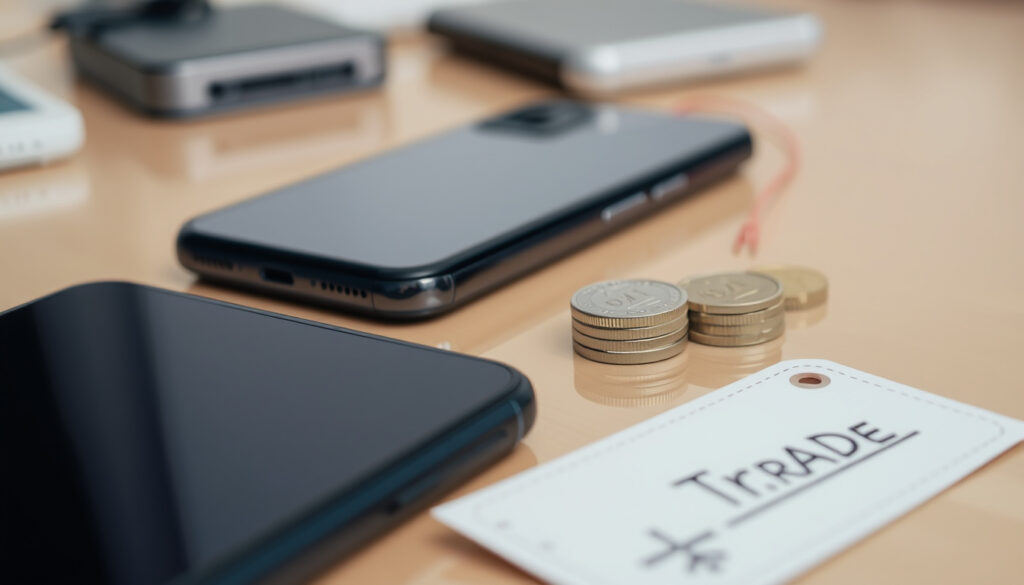
One NZ Trade-In: How It Work , Value, Worth It?
That old phone gathering dust in a drawer could actually be worth a decent amount — especially if you’re thinking of upgrading. One NZ offers a trade-in program that promises convenience, but how does it stack up against selling privately or recycling? Let’s look at the numbers and the process so you can decide what’s right for you.
Maximum trade-in value (iPhone 15 128GB): $700 ·
Eligible devices: Any mobile phone from any New Zealand network ·
Condition requirement: Acceptable condition at One NZ’s discretion ·
How to get a quote: Online at tradein.one.nz
Quick snapshot
- One NZ does offer mobile phone trade-ins (One NZ).
- Trade-in values depend on model and condition (One NZ).
- Apple recommends backing up and signing out before trading in (Apple Support NZ).
- Exact maximum value for each specific model (One NZ).
- Whether trade-in can be combined with promotional discounts (One NZ).
- Whether phones with cracked screens are accepted (discretionary) (One NZ trade‑in terms).
- Typical workflow: get estimate → buy new phone → reset old device → send in → receive credit after assessment (One NZ).
- Process usually takes a few business days after device is received (One NZ FAQ).
- Trade-in value is applied as credit toward a new phone purchase (One NZ).
- Alternative paths: sell privately on Trade Me, recycle via RE:MOBILE, or donate.
Five key details from One NZ’s trade-in program set the stage for comparison.
| Detail | Value |
|---|---|
| Service | One NZ Mobile Phone Trade-in |
| Eligibility | Any phone from any NZ network, acceptable condition |
| Max Trade-in Value (example) | Up to $700 for iPhone 15 128GB |
| How to Start | Online quote at tradein.one.nz |
| Payment | Applied as credit towards new phone purchase |
| Eligible condition | Accepts phones that power on, no missing parts, not blacklisted (2degrees) |
| Data prep | Back up, sign out of iCloud, erase all content and settings (Apple Support NZ) |
Does One NZ do trade-ins?
Yes — One NZ runs a mobile phone trade-in program that accepts any device from any New Zealand network, provided the phone is in acceptable condition as judged by the company. The process starts with an instant online quote at tradein.one.nz (One NZ). After that, you choose a new phone, reset your old one, and ship it in using free postage. The trade-in value is then applied as credit toward your new phone. One NZ’s own FAQ states: “You can Trade in your old phone in part exchange for a new phone. Start by getting an estimate from our phone Trade‑in page.”
One NZ’s trade‑in is a straightforward option for anyone already on their network or looking to switch. The convenience of a single transaction and instant credit beats the hassle of negotiating with private buyers, but the trade‑off is you may not get the absolute highest price.
Bottom line: One NZ definitely does trade‑ins. For customers prioritising speed and ease over maximum dollar, it’s a solid choice.
What do you do with old phones in NZ?
Recycling options
- RE:MOBILE: A free, nationwide recycling programme that recovers materials and prevents e‑waste. Accepted phones are refurbished or responsibly dismantled (RE:MOBILE).
- Recycle Now: A UK‑based scheme but with NZ drop‑off points listed for mobile phones.
- Council e‑waste events: Many local councils hold periodic e‑waste collection days.
Selling or trading in
- One NZ trade‑in: Convenient credit, moderate value.
- Noel Leeming: In‑store trade‑in for an instant gift card (Noel Leeming).
- 2degrees: Offers both in‑store (instant discount) and online trade‑in (2degrees).
- Spark NZ: Trade‑in when buying a Pay Monthly plan (Spark NZ).
- Private sale: Trade Me, Facebook Marketplace, or buy‑and‑sell groups. Higher potential return but requires listing, negotiating, and meeting buyers.
Selling privately can net you 20–40% more than trade‑in, but the time and risk (scams, no‑shows) often make the convenience of a trade‑in worthwhile — especially for older devices worth under $200.
Bottom line: New Zealanders have several responsible paths for old phones. For the easiest upgrade, trade‑in with One NZ or another telco wins. For maximum cash, sell privately. For zero effort and green conscience, recycle via RE:MOBILE.
How to swap to One NZ?
Bring your number to One NZ
If you’re switching from another provider, you can port your existing number. Visit one.nz/swap for details. The porting process typically takes a few hours to one business day.
Trade‑in your old phone as part of the swap
The trade‑in can happen alongside your number port. Steps:
- Get an instant quote at tradein.one.nz.
- Choose your new One NZ plan and phone.
- Back up your old phone (Apple: iCloud/Apple Support NZ; Android: Google backup).
- Sign out of accounts and erase the device.
- Ship the old phone using the free pre‑paid label.
- Receive trade‑in credit applied to your new purchase after inspection.
Apple warns that if you’re trading in at an Apple Store, you should stop after signing out and not erase the device yourself — the store will handle it. One NZ’s online process is different: you must erase before shipping.
Bottom line: Switching to One NZ with a trade‑in is a seamless one‑stop process. The key prep work — backing up and factory resetting — is your responsibility and takes only a few minutes.
Should I just throw away my old phone?
Environmental impact of e‑waste
Smartphones contain lithium batteries, gold, silver, and rare earth elements. When tossed in a landfill, they leak toxic heavy metals and waste valuable resources. The average Kiwi household has an estimated 12 unused devices. Recycling a single phone saves about 55 kg of CO₂ compared to mining new materials (RE:MOBILE).
Better alternatives: trade‑in, sell, recycle
Even a broken phone can be traded in or recycled. One NZ, 2degrees, and Noel Leeming all accept devices with minor damage subject to assessment. Samsung NZ even says cracked screens may still be accepted (Samsung New Zealand). If you’d rather not get cash, donate to charities like Starship Foundation that collect old phones.
Throwing away a phone is the worst option environmentally and financially. Even a $50 trade‑in is better than zero. And recycling costs nothing.
Bottom line: Never bin your old phone. Trade‑in, sell, or recycle — all three beat landfill. One NZ makes it particularly easy to get value while keeping e‑waste out of the environment.
Are trade‑ins ever worth it?
One NZ trade‑in values
One NZ currently offers up to $700 for an iPhone 15 128GB — a model they retail for $1,299 (Canstar NZ). That’s a 54% return on the original price after one year, which is competitive with most trade‑in programs.
Comparison to selling privately
A quick search on Trade Me shows similar units selling for around $900–$1,100. After listing fees and the hassle of meeting strangers, the extra $200–$400 may not be worth the time for many. However, for newer flagships like the iPhone 16 Pro, private sale can still net 30% more than trade‑in.
When trade‑in makes sense
- Your phone is 2+ years old and trade‑in value is modest but guaranteed.
- You want a new phone today and don’t want to wait for a private sale.
- You’re already on One NZ and can handle everything in one go.
- The convenience premium (lost private‑sale profit) is worth your time.
If you have a mint‑condition, recent flagship phone, selling privately will almost always pay more. But for the majority of phones — especially those with wear and tear — trade‑in delivers decent value with zero listing fees and no risk of fraud.
Bottom line: Trade‑ins are worth it for convenience and speed, especially for mid‑range or older devices. For pristine flagships under two years old, private sale still rules.
Pros & cons: trade‑in vs selling vs recycling
Upsides
- Trade‑in: Fast, no listing fees, guaranteed credit, secure (no stranger meetups).
- Sell privately: Highest possible return, especially for new flagships.
- Recycle: Environmentally responsible, free, requires zero effort.
Downsides
- Trade‑in: Lower value than private sale; condition assessed by One NZ; can’t combine with some promotions.
- Sell privately: Time‑consuming, risk of scams, fee on Trade Me, buyer demands for returns.
- Recycle: No cash value; must ensure data is erased.
Bottom line: For the average user wanting a quick upgrade, trade‑in with One NZ hits the sweet spot of convenience and fair value. Power sellers with scarce models should still go private.
Step‑by‑step: trading in with One NZ
- Get a quote: Visit tradein.one.nz, select your phone’s make and model, answer questions about condition (turns on, screen damage, etc.). You’ll get an instant estimate.
- Buy your new phone: Choose a new device on a One NZ plan or outright. The trade‑in credit will be applied at checkout.
- Back up your old phone: Apple users should use iCloud or a computer backup; Android users can use Google Drive. Log out of all accounts (Apple Support NZ).
- Factory reset: Erase all content and settings. Remove SIM card, memory cards, and any case/screen protector (Apple Support NZ).
- Ship the device: Use the free pre‑paid shipping label provided by One NZ. Pack the phone securely without accessories.
- Receive credit: One NZ will inspect the phone within a few business days. If the condition matches your quote, the credit is applied to your purchase. If it’s different, you’ll be given a revised offer (which you can accept or decline).
Apple also recommends removing your old device from your list of trusted devices after you’ve erased and signed out (Apple Support NZ). This prevents future iCloud activation lock issues.
What’s confirmed and what’s still unclear
Confirmed facts
- One NZ does offer trade‑ins (One NZ).
- Trade‑in values depend on model and condition (One NZ).
- Phones must be in acceptable condition (discretion of One NZ) (One NZ trade‑in terms).
- Industry best‑practice: back up, sign out, erase before trade‑in (Apple Support NZ).
What’s unclear
- Exact maximum value for each specific model (only examples given) (One NZ).
- Whether trade‑in can be combined with promotional discounts (One NZ).
- Whether phones with cracked screens are accepted (discretionary) (One NZ trade‑in terms).
What the experts say
“You can Trade in your old phone in part exchange for a new phone. Start by getting an estimate from our phone Trade‑in page.”
— One NZ trade‑in FAQ
“One NZ is currently offering a trade‑in value of up to $700 for an iPhone 15 128GB – a model that One NZ retails for $1299.”
— Canstar NZ analysis
Both sources reinforce the key tension: One NZ’s trade‑in is simple and offers fair value, but it’s not the absolute maximum you could get. For budget‑focused consumers, the gap is often small enough to justify the convenience.
För den som överväger att byta in sin bil i stället för sin telefon finns One NZ:s bilinbytesprogram som beskriver hur värderingen fungerar med fordon.
Frequently asked questions
How long does the One NZ trade‑in process take?
After you ship the phone, One NZ usually assesses it within 2–3 business days. The entire process — from quote to credit — can be completed in under a week (One NZ FAQ).
Can I trade in a phone with a cracked screen?
It depends on the severity. One NZ assesses each device and may still accept it with minor cracks, but significant damage may reduce the offer. Other providers like 2degrees consider light scratches acceptable but draw the line at “significant” damage (2degrees). Samsung NZ says cracked screens may still be accepted (Samsung New Zealand).
Do I need to factory reset my phone before trading in?
Yes. Apple and most providers require you to back up, sign out of accounts, and erase all content before sending. If you trade in at an Apple Store, they advise not erasing yourself (Apple Support NZ). For One NZ’s online process, always factory reset beforehand.
What happens after I submit my trade‑in?
You’ll receive a pre‑paid shipping label. Once One NZ receives the device, they inspect it and confirm the value. If the condition matches your quote, the amount is applied to your purchase. If not, you’ll get a revised offer which you can accept or decline (One NZ).
Can I trade in multiple phones at once?
One NZ’s terms require a separate quote for each device. Noel Leeming, by comparison, explicitly allows multiple submissions but each must be quoted and assessed individually (Noel Leeming).
Is shipping free for trade‑in?
Yes, One NZ provides a free pre‑paid shipping label for each device traded in (One NZ).
What if my phone is valued less than the initial quote?
If the physical condition does not match what you described, One NZ will provide a revised offer. You have the right to accept or decline and have the phone returned to you (One NZ trade‑in terms).
For anyone sitting on an old smartphone, the choice comes down to what you value more: time or money. For the typical New Zealander looking to upgrade, trading in with One NZ offers the smooth path — a single transaction, no negotiation, and fair market value. If you have a pristine flagship with resale buzz, go private. And if your phone is really beyond use, recycle it. The worst thing you can do is leave it in a drawer, losing value every day. For Kiwis who want a quick, clean, and reasonably valuable way to upgrade, One NZ’s trade‑in is a deal worth taking.
2 Degrees Top Up Online – How to Recharge Your Prepay Account
More related posts
 iPhone 16 Case NZ: Best Options from Top Retailers
 Muay Thai Shorts NZ: Best Brands & Buyer Guide (2025)
 12 Inches in CM: Exact 30.48 cm Conversion Guide
 Auckland to Vancouver Flights: Duration, Airlines & Prices
 Mileage Rate 2025 NZ: IRD Kilometre Rates Explained
 NZ Herald Death Notices Last 7 Days: Search Recent Obituaries
 Golden State Warriors Standings 2026: Playoff Path
 Stay Always Updated with TXEPC – Texas Emergency Alerts Guide