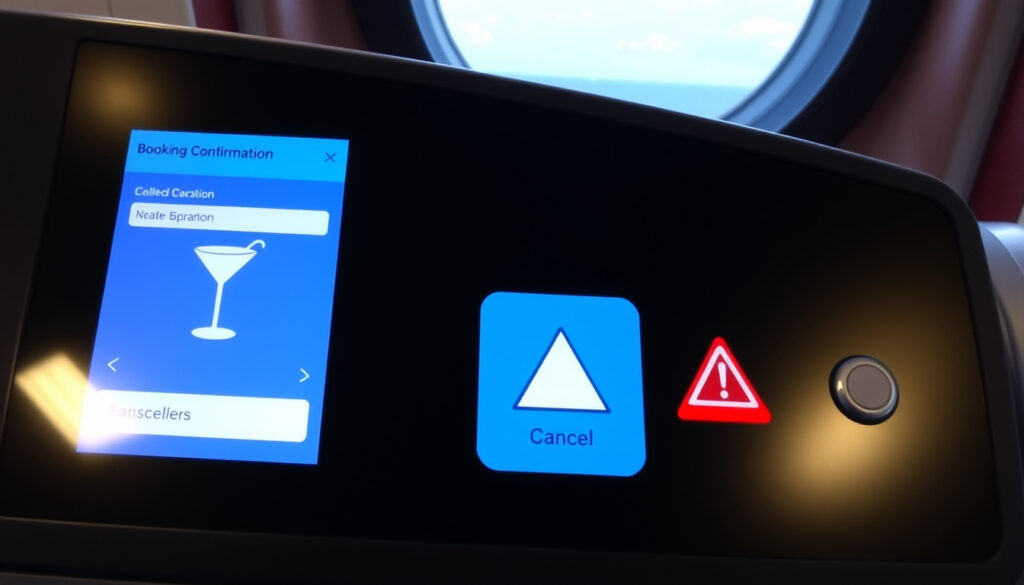
P&O Cruise Control: Manage Booking, Drinks & Cancellations
If you’ve booked a P&O cruise, the next step is making it yours — choosing excursions, sorting dinner times, and deciding which drinks package fits your holiday vibe. The My P&O Cruises portal (often called Cruise Control) is where that happens.
Drink packages: from £16 to £65 per day · Pre-cruise deadline: up to 3 days before sailing · Same-package rule: all adults in same cabin must choose the same package
Quick snapshot
- P&O Cruises offers four drinks packages (P&O Cruises official)
- Packages can be purchased pre-cruise or onboard (P&O Cruises official)
- Online check-in and extras booking available via My P&O Cruises (P&O Cruises manage booking)
- Exact reasons for specific 2026 cancellations — no full explanation published
- Future pricing changes for drinks packages — subject to change
- Deluxe package price not publicly listed on official site
- Individual drink prices (e.g., pint) not published by P&O
- 2025: P&O announces cancellations for 2026 itineraries (P&O Cruises after booking)
- Pre-cruise purchase closes 3 days before sailing (P&O Cruises drinks explainer (YouTube))
- Book excursions, dining, and drinks via My P&O Cruises portal (P&O Cruises after booking)
- Monitor official communications for itinerary changes (P&O Cruises manage booking)
Seven key specs, one pattern: the My P&O Cruises portal is the central hub for managing your holiday extras.
| Fact | Value |
|---|---|
| Online portal name | My P&O Cruises / Cruise Control (P&O Cruises) |
| Number of drinks packages | 4 (P&O Cruises) |
| Refresh package price (per day) | £16 (P&O Cruises) |
| Alcohol-free package price (per day) | £29 (P&O Cruises) |
| Classic package price (5-14 nights, per day) | £65 (P&O Cruises) |
| Pre-cruise purchase deadline | Up to 3 days before sailing (P&O Cruises drinks explainer) |
| Same package rule | All adults in same cabin must choose the same package (Cruise Lowdown) |
How do I manage my P&O cruise booking?
Logging in to My P&O Cruises
Start by visiting P&O Cruises’ manage booking page. Enter the email address and password you used when booking. If you haven’t registered, you can create an account using your booking reference number.
The portal gives you access to your itinerary, check-in options, and the ability to add holiday extras like shore excursions, spa treatments, and drinks packages (P&O Cruises after booking).
Using the Cruise Control portal
- View your daily schedule and port times.
- Select dining preferences and book speciality restaurants.
- Add drinks packages, Wi-Fi, and other extras.
- Pay any outstanding balance.
A help guide from Iglu Cruise (a UK travel retailer) calls the portal the easiest way to add drinks packages.
Changing or cancelling a booking
You can modify certain booking details — like excursions or dining slots — directly through My P&O Cruises. For cancellation requests or major changes (e.g., passenger names), you’ll need to contact P&O Cruises customer service. The manage booking page explains that you can “log in or register to personalise the holiday”, but it doesn’t provide a self-service cancellation option.
The implication: plan ahead, because after you purchase drinks packages or excursions, refunds may be limited.
How do I log in to P&O cruise control?
Steps to log in at pocruises.com
- Go to pocruises.com/login.
- Enter your registered email address and password.
- Click “Sign in”. You’ll see your upcoming cruises and the “Manage this booking” button.
If you’ve forgotten your password, use the “Forgotten your password?” link to reset it via email.
Troubleshooting login issues
Can’t log in? Double-check you’re using the email address from your booking confirmation. If you booked through a travel agent, you may need to use the agent’s reference number or contact P&O Cruises directly to link the booking to your account.
The official login page advises that booked guests can “view itineraries, check in, and add holiday extras” once signed in.
Accessing via the P&O Cruises app
P&O Cruises offers a mobile app available for iOS and Android. The app replicates most of the portal’s features — you can check in, view daily programmes, and make onboard purchases. Search for “My P&O Cruises” in your app store. The P&O Cruises app page provides download links.
The pattern: once logged in, most pre-cruise tasks are a few clicks away, but agent-booked passengers face an extra step that’s worth planning for.
Are drinks included in P&O cruise control?
Types of drinks packages
P&O Cruises offers four packages, as listed on their drinks-on-board page:
- Refresh – soft drinks, mocktails, and juices (£16/day)
- Alcohol-free – non-alcoholic beers, wines, and cocktails (£29/day)
- Classic – selected beers, wines, spirits, and cocktails (£65/day for 5-14 nights)
- Deluxe – top-shelf spirits, premium wines, and speciality coffees (price not shown on official site)
Included beverages by package
The Classic package, for example, covers beers up to a certain price limit, house wines, standard spirits, and non-alcoholic drinks. The Refresh package replaces the old Children’s Drinks Package and is suitable for all ages (Cruise Lowdown).
How to purchase a package online
Log in to My P&O Cruises, navigate to “Holiday Extras” or “Drinks Packages”, and add your chosen package. According to a YouTube guide from P&O Cruises Drinks Packages Explained, you can purchase pre-cruise up to three days before sailing (often at a discounted rate). Onboard, you can buy within the first two days of the cruise.
Important: all adults in the same cabin must choose the same package (Cruise Lowdown). Packages are only available on cruises of five nights or more.
The Deluxe package is the most flexible but its price isn’t published — you’ll need to log in or ask onboard. For light drinkers, the Refresh or Alcohol-free packages may be more cost-effective than the Classic or Deluxe.
The catch: without the Deluxe price published, comparing total cost requires logging into the portal or calling customer service directly.
How much is a pint on P and O cruises?
Current pint prices on P&O
P&O Cruises doesn’t publish a standard drinks menu with per-pint pricing online. Reports from cruisers suggest a pint of draught beer typically costs between £5 and £6, but this can vary by ship and itinerary. The official drinks page lists package options but not individual drink prices.
Price variations by ship and itinerary
Newer ships (like Iona and Arvia) may have different bar menus compared to older vessels. Currency fluctuations and local taxes on some itineraries (e.g., Norwegian fjords) can also affect prices.
Tips for saving on drinks
- Buy a drinks package pre-cruise — the per-drink cost is usually lower than buying individually.
- Check if your cruise has a “drinks included” promotion before booking.
- Consider the Refresh package if you only want soft drinks — it’s £16/day.
The catch: without published single-drink prices, it’s hard to calculate break-even. Use the package calculator on the official site or ask at the bar on day one.
What this means: if you drink two pints and a glass of wine daily, the Classic package pays for itself — otherwise, pay-as-you-go may cost less.
Why are P&O cancelling cruises for 2026?
Reasons for cancellations
P&O Cruises has announced cancellations for some 2026 itineraries as part of scheduling changes and ship redeployments (P&O Cruises after booking). The company has not published an exhaustive list of reasons for each cancelled sailing, but typical drivers include fleet repositioning, dry dock schedules, and shifts in demand.
Affected itineraries
Specific cancelled cruises are communicated directly to booked passengers via email and through the My P&O Cruises portal. It’s worth checking your booking online — if your cruise is affected, you’ll see a status update with options.
What to do if your cruise is cancelled
P&O Cruises offers affected passengers either a full refund or a future cruise credit (FCC) plus an additional onboard credit. The manage booking page explains that you can “personalise the holiday” — but for cancellations, you’ll need to contact customer service or follow the instructions in your notification email.
Don’t assume your 2026 booking is safe until you see a confirmed itinerary. Monitor the official portal and your inbox. If you have a non-refundable flight or hotel booked separately, consider travel insurance with cancellation cover.
The implication: proactive monitoring of official communications is your best defence against last-minute disruptions.
Comparison of P&O drinks packages
Four packages, one decision: match your drinking habits to the right price tier.
| Feature | Refresh | Alcohol-free | Classic | Deluxe |
|---|---|---|---|---|
| Price (per day) | £16 (P&O Cruises) | £29 (P&O Cruises) | £65 (5-14 nights) (P&O Cruises) | Not published (P&O Cruises) |
| Included alcohol | None | Non-alcoholic beers & wines | Beer, house wine, spirits (up to a limit) | Premium spirits, wines, cocktails |
| Minimum cruise length | 5 nights (Cruise Lowdown) | 5 nights | 5 nights | 5 nights |
| Same package required for all adults in cabin? | Yes (Cruise Lowdown) | Yes | Yes | Yes |
The pattern: the Classic package is the sweet spot for most moderate drinkers, while the Deluxe offers premium options at an unlisted price — you’ll need to log in or call to see the current cost.
Specs of the My P&O Cruises portal
Six features, one gateway: the portal controls nearly every pre-sail decision.
| Feature | Available through portal? | Details |
|---|---|---|
| Online check-in | Yes | Open from 90 days before departure (P&O Cruises manage booking) |
| Excursion booking | Yes | Browse and book shore experiences (P&O Cruises) |
| Drinks package purchase | Yes | Add refresh, alcohol-free, classic, or deluxe packages (P&O Cruises) |
| Dining reservations | Yes | Book speciality restaurants and set dining times |
| Payment of balance | Yes | Pay remaining fare via the portal |
| Itinerary changes/cancellation | Limited | Minor changes possible; cancellation requires contact |
The catch: not everything can be done online. Major changes like passenger names or full cancellations still require a phone call — factor that into your planning.
Steps: How to log in and add a drinks package
- Go to pocruises.com/login.
- Sign in with your email and password.
- Select your upcoming cruise from the dashboard.
- Click “Holiday Extras” or “Drinks Packages”.
- Choose a package — note that all adults in your cabin must pick the same one.
- Proceed to checkout and pay.
You can also purchase packages onboard within the first two days of your cruise, but pre-cruise prices are often lower (P&O Cruises drinks explainer).
Timeline: Key dates for P&O cruise control users
- 90 days before departure — online check-in opens via My P&O Cruises (P&O Cruises manage booking)
- 3 days before sailing — deadline to buy drinks packages pre-cruise (P&O Cruises drinks explainer)
- 2025 — P&O announces cancellations for some 2026 itineraries (P&O Cruises after booking)
Mark these dates on your calendar. Missing the pre-cruise purchase window means you’ll pay more onboard, and not checking for itinerary changes early could leave you scrambling to rebook flights.
The pattern: these three dates form the critical planning rhythm for any P&O cruiser — missing one creates a domino effect on costs and options.
Clarity: What we know and what remains uncertain
Confirmed facts
- P&O Cruises offers four drinks packages (Refresh, Alcohol-free, Classic, Deluxe) (P&O Cruises)
- Online check-in is available through My P&O Cruises (P&O Cruises)
- Packages can be purchased pre-cruise or onboard (P&O Cruises)
- All adults in the same cabin must choose the same package (Cruise Lowdown)
- Refresh package costs £16/day; Alcohol-free £29/day; Classic £65/day (5-14 nights) (P&O Cruises)
What remains unclear
- Exact reasons for specific 2026 cruise cancellations have not been fully explained
- Future pricing changes for drinks packages — the official site notes prices are “subject to change” (P&O Cruises)
- The Deluxe package price is not publicly listed (P&O Cruises drinks page)
- Individual drink prices (e.g., pint) are not published on the official site
- Full list of 2026 cancelled itineraries not centrally published — only communicated to affected passengers individually
Quotes from P&O Cruises on drinks packages and cancellations
“The easiest way to add a drinks package to your P&O Cruises holiday is through the My P&O Cruises portal.”
“If your cruise is cancelled due to scheduling changes, we will offer a full refund or a future cruise credit with additional onboard credit.”
— P&O Cruises after booking page
The quotes underline that the portal is the primary tool for managing extras, and that the line’s cancellation policy follows industry-standard compensation.
Summary
My P&O Cruises (Cruise Control) is a functional self-service portal, but it’s not all-powerful. You can check in, add drinks packages, book excursions, and manage dining — but you can’t cancel a booking online, and the reasons behind 2026 cancellations remain partially unexplained. For UK cruisers, the choice is clear: log in early, lock in your drinks package before the 3-day deadline, and keep an eye on official communications for itinerary changes. If you’re flexible, the Classic package at £65/day offers the best balance of value and coverage; if you prefer non-alcoholic options, the Refresh package at £16/day is a steal.
youtube.com, pocruises.com, pocruises.com, solotravel1974.com, pocruises.com, youtube.com
Frequently asked questions
Can I change my booking after check-in?
Yes, you can modify some details (like excursions and dining) through My P&O Cruises after check-in. Major changes like cabin swaps or cancellations may require a phone call to customer service.
How do I add a drink package after booking?
Log in to My P&O Cruises, go to “Holiday Extras”, and select a drinks package. You can also buy onboard within the first two days of the cruise.
What is the best drinks package for me?
If you drink alcohol moderately, the Classic package (£65/day) covers most beers, wines, and spirits. For teetotallers, the Refresh package (£16/day) includes soft drinks and mocktails.
How do I reset my cruise control password?
On the login page, click “Forgotten your password?” and follow the instructions sent to your registered email.
Is there a P&O cruise control app for iPhone?
Yes, search for “My P&O Cruises” in the App Store. The app offers most portal features including check-in and daily programme viewing.
What happens if my cruise is cancelled due to weather?
P&O Cruises typically offers a refund or future cruise credit. Check the official site or contact customer service for your specific booking.
Do I need to print my boarding pass?
No, you can use a digital boarding pass from the My P&O Cruises app or portal. Print it if you prefer a physical copy.
For further reading, see our guide on United Airlines Manage Booking: How to Check In & Change Flights and Ferry from Wellington to Picton: Timetable, Prices, Booking Guide for similar booking management tips.
More related posts
 From Season 4 Release Date: Full Episode Guide & Schedule
 Mitre 10 Outdoor Furniture: Sale, Catalogue & Sets NZ
 Carpal Tunnel Syndrome Symptoms – Early Signs and When to See a Doctor
 Mortgage Rate Predictions NZ 2026-2027: Expert Forecasts
 What Does SUV Stand For – Meaning, History and Key Differences
 How to Get a Credit Card in Ireland: Requirements & Tips
 Royal Oak Primary School: NZ, UK Info, Enrolment & Reviews
 New Zealand’s Best Homes with Phil Spencer: Guide & Episodes