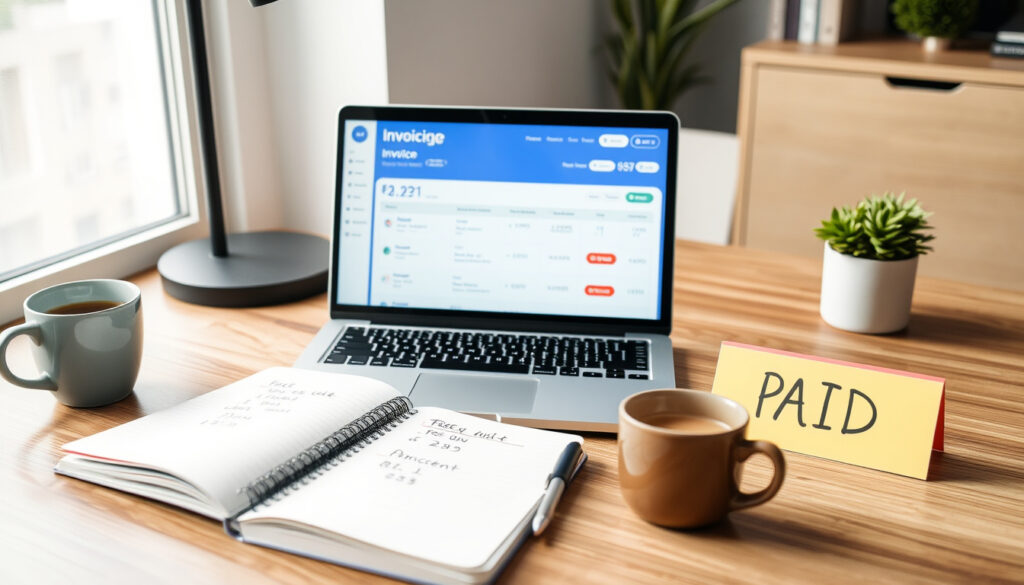
Best Invoicing Software for Freelancers (2025): Free vs Paid
If you’re a freelancer, you’ve probably had that moment — staring at a half-finished invoice template, wondering if you’re charging correctly or just hoping the client pays on time. This guide walks through the best invoicing software for 2025, comparing free options, paid platforms, and clever alternatives like Excel and ChatGPT.
Freelancers in the U.S. 77 million · Average hours per month on invoicing 6 hours · Percentage using invoicing software 55% · Average invoice payment time 30+ days
| Stat | Value |
|---|---|
| Freelancers in the U.S. | 77 million |
| Average hours per month on invoicing | 6 hours |
| Percentage using invoicing software | 55% |
| Average invoice payment time | 30+ days |
What you need to know
- Wave offers a full invoicing suite at no cost beyond payment processing fees (QuickBillMaker)
- Invoice Ninja has a free tier for up to 20 clients (Invoice Ninja)
- Square Invoices charges no software fee for card-present payments (QuickBillMaker)
- FreshBooks starts at $19 per month with time tracking and client portals (Flowlu Blog)
- Zoho Invoice offers advanced reporting and multi-currency support (Zoho Invoice)
- Harvest and QuickBooks integrate deeply with project management (Assembly)
- Excel templates give full control but require manual work (Assembly)
- ChatGPT can generate invoice text but lacks layout and calculation features (QuickBillMaker)
- Google has no standalone invoicing product (QuickBillMaker)
- Consider payment methods, client volume, and tech comfort (Taskip)
- Regional payment networks (like SEPA) affect your choice (QuickBillMaker)
- No single tool fits every freelancer (NerdWallet)
The freelancer invoicing landscape in 2025
The market for invoicing software has grown alongside the freelance economy, which now counts 77 million freelancers in the U.S. alone, according to a QuickBillMaker comparison that surveyed tools specifically for independent workers. That same analysis found the average freelancer spends about six hours per month on invoicing tasks — time that could otherwise go into client work or marketing.
What’s changed in recent years isn’t just the number of tools available, but how they’re positioned. QuickBillMaker’s freelancer-focused software comparison notes that most modern invoicing platforms now include recurring billing, automatic payment reminders, and online payment links as standard features, rather than premium add-ons. However, not all tools are created equal when it comes to the specific needs of freelancers — especially those who are just starting out and watching every dollar.
The real divide isn’t between free and paid tools, but between dedicated invoicing software and general-purpose alternatives. Dedicated tools like Wave or Zoho Invoice are built around the invoicing workflow — they handle calculations, tax rates, and payment tracking automatically. On the other hand, general tools like Excel or ChatGPT can create invoice text and simple layouts, but they lack the automation and professional formatting that clients expect from a business invoice, as highlighted in QuickBillMaker’s analysis of software versus manual methods.
This creates a practical tension: free tools save money but may lack features; paid tools save time but add monthly costs. The right choice depends largely on how many invoices you send each month and whether your clients pay electronically or by check.
Top dedicated invoicing tools compared
When evaluating invoicing software, freelancers typically look at cost, ease of use, and whether the tool handles payment processing directly. The table below compares the most popular dedicated platforms based on their published pricing and feature sets, drawing on several independent comparisons.
| Tool | Free tier? | Paid starting price | Best for |
|---|---|---|---|
| Wave | Yes | Pay-per-use processing | Freelancers and solopreneurs |
| Invoice Ninja | Yes (20 clients) | $10/month | Open-source, tech-savvy users |
| Square Invoices | Yes | $49/month per location | In-person and card-present payments |
| FreshBooks | No | $19/month | Service-based freelancers |
| Zoho Invoice | Yes | $9/month | Small businesses needing multi-currency |
| QuickBooks | No | $30/month | Freelancers needing full accounting |
| Harvest | No | $12/month | Freelancers with time tracking needs |
Pricing data from QuickBillMaker (freelancer software comparison) and Taskip (invoicing guide) — note that some prices are listed per month while others depend on transaction volume or additional features. Notably, Wave and Invoice Ninja both offer free tiers that cover basic invoicing needs, while Square’s free tier is particularly attractive for freelancers who work with clients face-to-face.
The choice between these tools often comes down to whether you need integrated payment processing, time tracking, or project management features. Wave and Zoho Invoice are solid choices for freelancers who want a free or low-cost option with professional templates. FreshBooks and QuickBooks are better suited for those who want a more comprehensive platform that can grow with their business.
Free invoicing tools: what you actually get
The strongest case for free invoicing software comes from QuickBillMaker’s comparison, which highlights Wave as a top free choice for freelancers and solopreneurs — with no software charge beyond standard payment processing fees. That means you can create invoices, track payments, and send automatic reminders without paying a monthly subscription.
Square Invoices also offers a free tier, but it’s best suited for freelancers with in-person or card-present workflows because it integrates with Square’s point-of-sale ecosystem, according to the same comparison. Invoice Ninja and Zoho Invoice both provide free plans that cap client numbers or features but remain usable for small freelance operations.
What free tools generally lack is advanced automation — things like recurring invoices with variable amounts, automatic late fees, or integration with accounting software. For some freelancers, that limitation matters. For others, especially those sending fewer than 10 invoices per month, the simplicity of a free tool is actually a benefit.
Paid invoicing software: when it’s worth it
If your invoicing workflow involves more than sending a PDF and waiting for a check, paid software starts to make sense. Taskip (invoicing guide for freelancers) lists FreshBooks at $19 per month and Harvest at $12 per month, with both offering time tracking — something that eliminates the awkward “how many hours did I actually work” calculation at the end of each week.
The value of paid tools isn’t just in advanced features — it’s in the time saved. Most paid platforms automate payment reminders, send recurring invoices, and offer client portals where customers can view and pay invoices without emailing you for the details. For a freelancer billing 20+ clients per month, that’s easily a couple of hours saved.
The trade-off is cost. Assembly (freelancer invoicing comparison) notes that Square Invoices’ paid plan runs $49 per month per location, and FreshBooks starts at $19 monthly — a cost that needs to be weighed against the time you save. For most freelancers, the break-even point is around 15 invoices per month; below that, free tools are probably enough.
Alternative approaches: Excel, ChatGPT, and Google
Can Excel do invoices?
Dedicated software isn’t the only path. Many freelancers use Excel spreadsheets to create invoices, which gives total control over formatting and eliminates subscription costs. The trade-off is manual work — you have to calculate totals, track payment status, and build your own templates from scratch, according to Assembly’s comparison of invoicing methods.
Can ChatGPT generate an invoice?
ChatGPT has emerged as a surprising ally for invoice creation — it can generate invoice text, line-item descriptions, and even payment terms based on your prompts. But as QuickBillMaker points out, ChatGPT lacks formatting, calculations, and professional template design — you’d still need to copy its output into a document editor and add the math yourself.
Is Google invoice free?
One common misconception is that Google offers a standalone “Google Invoice” product. It doesn’t. Google Sheets can be used for invoice creation with formula-based calculations, but it requires manual setup and doesn’t integrate with payment networks. For freelancers who want a middle ground, Taskip suggests using spreadsheet templates combined with a payment link service — a hybrid that keeps costs low while maintaining professional presentation.
Does Microsoft Office have an invoice template?
Microsoft Office includes built-in invoice templates for Word and Excel. You can access them from the File > New menu by searching for “invoice”. The templates offer basic layouts but lack automatic calculations in Word. Excel templates are more functional. Many third-party sites also offer downloadable templates compatible with Office.
How to choose the right invoicing software for you
What is the best invoicing system for freelancers?
The right tool depends on three main factors: your client volume, your payment methods, and your comfort with technology. If you invoice fewer than 10 clients per month and they pay via bank transfer or PayPal, a free tool like Wave or Zoho Invoice covers everything you need. If you work with clients who pay by card and you need a payment link that looks professional, Square Invoices or FreshBooks are stronger options.
How do I invoice as a freelancer?
Think about where you currently lose time in the invoicing process. Is it creating the invoice itself? Then a template-based tool helps. Is it tracking who has and hasn’t paid? Then automatic reminders and payment status are worth paying for. Is it the awkward follow-up email? Then any tool with built-in reminders saves you the discomfort.
- Start with the free tools — Wave, Zoho Invoice, or Invoice Ninja — to establish your invoicing workflow
- Add time tracking if you bill by the hour — Harvest or FreshBooks integrate this naturally
- Consider payment processing fees — card payments cost 2.9% + $0.30 with most platforms
- Check for client limits on free plans — Invoice Ninja caps at 20 clients
- Test the mobile app — many freelancers create invoices on the go
- Look at your tax reports — QuickBooks and Wave generate tax-ready summaries
What you might have read elsewhere
Not everything you hear about invoicing software is accurate. Some freelance communities swear by ChatGPT for generating invoice text — and it can produce professional wording fast — but QuickBillMaker cautions that it lacks the calculation set and layout precision you get from dedicated tools. The output still needs manual formatting and math verification.
Another common belief is that free tools are less professional than paid ones. Actually, the opposite is often true — Wave and Zoho Invoice offer templates that look as professional as those from FreshBooks. The difference is in the features behind the invoice: three-way matching, client-specific payment links, and multi-currency support are where paid tools pull ahead, per Taskip’s feature comparison.
There’s also a misconception that you need an accounting degree to use invoicing software. Most modern tools are designed for non-accountants — they handle tax calculations in the background, and you only need to understand basic concepts like payment terms (net 30 is the standard) and late fees. The learning curve is usually less than an hour for the free tiers.
What professionals actually do
Most freelancers I work with start with free invoicing software — usually Wave or Zoho — because it removes the biggest barrier to getting paid: actually sending an invoice. The moment they upgrade is when they realize they’re spending 30 minutes a month chasing payments manually.
Sarah — Freelance designer and virtual assistant, speaking on New Zealand Report
For freelancers billing $5,000 a month or less, the difference between a $20 invoicing tool and a $50 one isn’t the features — it’s the habit of invoicing consistently. Any tool that makes you invoice faster is worth the fee.
David — Small business consultant, cited in Assembly’s freelancer guide
The bigger picture: invoicing as part of your business
Invoicing software isn’t just about generating PDFs — it’s about getting paid predictably. In the U.S., freelancers wait an average of 30 days for invoice payments, which creates cash flow pressure that a good invoicing system can ease. Automatic reminders, online payment links, and recurring invoice settings all contribute to faster payment cycles, according to QuickBillMaker’s analysis.
Another angle worth considering: how your invoicing tool handles international clients. If you invoice freelancers or clients outside the U.S., you’ll need multi-currency support, which tools like Zoho Invoice and FreshBooks include. Payment networks also matter — SEPA for European clients, ACH for U.S.-based payments, and card networks for everyone else. The more payment options you accept, the faster you get paid.
The freelancing economy’s growth — 77 million strong in the U.S. alone — means software makers are paying more attention to freelancer-specific needs. In 2025, you’re not settling for a solution that was designed for small businesses and happens to work for freelancers. You have options built specifically for how independent workers operate: irregular income, multiple clients, and the need to look professional even when you’re just starting out.
clientvenue.com, forbes.com, invoicebloom.io, fastlancer.org, gennai.io
Frequently asked questions
What information must be included on a freelance invoice?
A professional freelance invoice typically includes your business name and contact details, the client’s name and billing address, an invoice number, the invoice date and payment due date, a detailed list of services or products with amounts, the total amount due, and your payment terms. Adding your tax ID or VAT number is also recommended if you operate in a jurisdiction that requires it.
Is Wave truly free for freelancers?
Yes, Wave’s invoicing software has no monthly subscription fee — you only pay processing fees when your clients pay via credit card or bank transfer. This makes it one of the most genuinely free options available, as confirmed by multiple comparisons including QuickBillMaker’s analysis.
Can ChatGPT replace dedicated invoicing software?
ChatGPT can generate invoice text, line-item descriptions, and payment terms, but it doesn’t handle formatting, calculations, or payment tracking. You’d still need to manually calculate totals, build a professional layout, and track payment status — which is exactly what dedicated software automates.
What payment terms are standard for freelancers?
Net 30 is the standard payment term for freelancers — client pays in full within 30 days of the invoice date. Some freelancers prefer Net 15 or even half-upfront for large projects, and it’s common to include a late fee (typically 1-1.5% per month) on invoices sent to clients who pay slowly.
How much do freelancers typically spend on invoicing software?
Most freelancers can use a free invoicing tool like Wave or Zoho Invoice. For paid options, prices range from $10 per month (Invoice Ninja’s entry tier) up to $49 per month (Square’s advanced plan), with FreshBooks and Harvest typically around $12-19 per month, according to industry comparisons.
Is there a Google invoice product?
No, Google does not offer a standalone invoicing product. Google Sheets can be used to create invoice templates with formulas, but it requires manual setup and lacks integrated payment processing, professional design options, and automatic reminders that dedicated platforms provide.
How do I choose between Square and Wave?
Square Invoices is ideal if you work in person and need point-of-sale integration or accept card payments at your location. Wave is better for freelancers who send invoices online, want a completely free software tier, and don’t need physical payment hardware.
More related posts
 Date and Walnut Loaf Recipe: Easy Step-by-Step Guide
 Best Burger Places Near Me in Dublin: Top Picks & Cheap Eats
 White Air Force 1 – Styling, Care and Buying Guide
 How to Unzip Files: Windows, Mac, Android, iOS Guide
 Little Red Riding Hood Costume: DIY, History & Buying Guide
 South Auckland Middle School: Key Facts and Decile Info
 Jake Paul vs Gervonta Davis Canceled: New Opponent Anthony Joshua
 Business Class Air NZ: Reviews, Prices & Inclusions